Wine inventory software built for restaurants
Vinify runs the restaurant wine program in one place: a cellar where every bottle has an address, wine lists that read from it, and sales from the till that come off it. You run service. The record keeps itself.
14-day free trial · No charge today · Cancel anytime
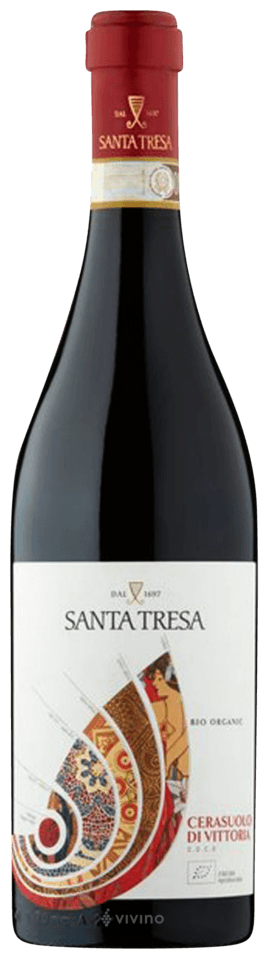 Château Margaux2015
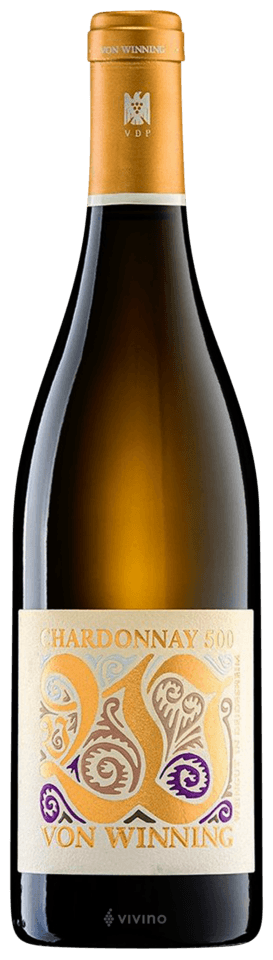 Vacheron Sancerre2022
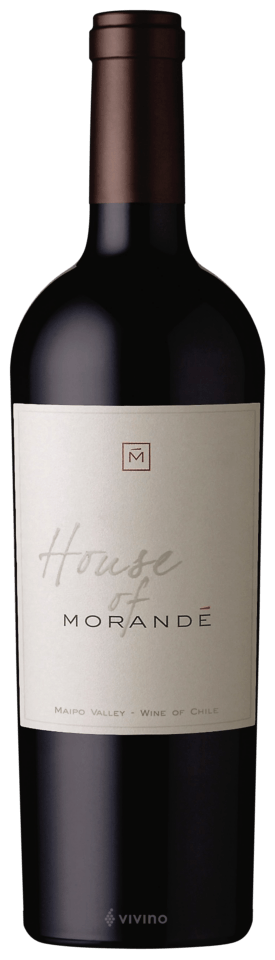 Tignanello2019
Used by 650+ restaurants, wine bars and hotels in 11 countries
Four rooms, one cellar
Excel works. Until service starts
The program on paper
You update prices on Monday, a bottle sells out on Tuesday, a guest orders it on Wednesday: the list lied. The till sells bottles that are gone while cases sit in storage nobody remembers. And the stock count eats a whole weekend, with the bar fridge forgotten and by-the-glass counted twice.
The program on record
The cellar is one live table. Sales from the till are imported into it automatically, the wine list reads from it and drops what ran out, and the count is a confirmation walk that starts from live numbers instead of a blank sheet. You run service; the record keeps itself.
Three things change the day you switch
A service night, and the morning after
Nobody opens a spreadsheet for the cellar between the first cover and the last. The till is the record for the night; the import writes it into the cellar.
Step by step, for the days above
Four things a restaurant cellar leans on
One cellar, the list on the table and the list on the phone
Every list reads from the same cellar. A wine at zero falls off; a wine you hide from one list stays on another. The printed PDF, the live link and the QR code are the same document, and the app’s own line is that the list is automatically updated with every change made in your cellar.
Paper, margins, cover page, fonts and columns are settings, not templates. Restaurant lists print in English or Norwegian, the language your cellar runs in.
See wine lists Digital wine list
Sales are imported, not retyped
Connect the till and, on most systems, the previous day’s sales are imported each morning: a bottle sold takes a bottle off, a glass sold takes its centiliters off the open bottle, and each movement is written into cellar history as a sale.
On most systems the selling prices you set in Vinify go back to the till, so the list, the cellar and the till quote the same number. Our team sets the connection up with you.
How the till connectsGlasses counted in centiliters, not in guesses
Set a default glass size for the cellar and override it per wine. A wine goes by the glass by being switched on for a list, and the same switch is what makes it available at the till.
The list gets a by-the-glass section grouped by style, or by style and country, and each wine carries its own price per glass.
Glass settings in InventoryThe night on the record, the week in numbers
What goes out and what comes in lands on one table: date, activity, whether it was a bottle, a glass or a recipe, the wine, bottles, remaining, prices and the sell/buy ratio. A filter shows out-of-stock wines only.
The weekly summary shows the week’s range, total sold, profit, average sell/buy ratio and the value sold per main category. History tells you what changed and when; it does not record who.
Why wine stock is not liquor stock
Fine dining
A deep list is a list of exceptions: a vintage that must not be poured yet, a magnum that counts as one bottle but reads as two on a bad sheet, an allocation of six that has to last the year. Vinify keeps each vintage and bottle size as its own row, so the 2010 and the 2015 are two wines, and the magnum is a magnum.
The sommelier’s morning starts in cellar history: what left last night, what is at zero, what needs to move from storage to the room before the first cover. The count, when it comes, starts from those numbers rather than from a blank sheet, location by location.
Bistro
A short list that turns fast lives or dies by the glass. Each wine carries its own glass size and price per glass, the list prints a by-the-glass section on its own, and yesterday’s pours come off the open bottles in centiliters when the sales are imported.
When the last bottle of the house red sells, it leaves the live list on its own; nobody reprints anything, and the guest who scans the code at lunch sees what is actually there.
Stock that ages, stock that opens, stock that is worth something
Liquor stock is a count of identical bottles. Wine stock has vintages, opens by the glass and is worth a different amount every month. That is why each vintage and bottle size is its own row in the cellar table, why an open bottle is tracked in centiliters, and why a matched wine can carry Liv-ex market value with the Market value add-on, so the cellar’s value is a number you can read, not guess.
Restaurant systems we connect to
Four of the systems restaurants run on. Sales are imported daily, our team sets the connection up with you, and the POS page lists every system.
What comes with which plan
Start with a 14-day free trial and pick the plan once you have run real service nights on it. Plan prices are on the pricing page.
Yes. Upload the list you already have as an Excel sheet, a CSV, a CellarTracker export, a PDF invoice or a photo. AI wine import reads it, proposes matches against Vinify’s wine database, and you confirm every row before anything lands in your cellar.
Vinify connects to Lightspeed, Restolution, Munu and Winston, among other systems; the POS page lists every one and what each connection does. Our team sets the connection up with you. If your system is not on the list, tell us what you run and we will answer honestly.
For most systems Vinify imports the previous day’s sales each morning, so the cellar shows last night’s service when you open it, and cellar history has every bottle and glass as a sale. The exact behavior per system is on its own page.
A glass rung on the till comes off the open bottle in centiliters, using the glass size you set for the cellar or for that wine. A wine goes by the glass by being switched on for a wine list, and the same switch makes it available at the till. Each wine carries its own price per glass.
Yes. Share the list as a link or a QR code printed on the list itself, in English and Norwegian. The public page reads the cellar each time it is opened, so a wine at zero is not on it, and on a phone it opens as a PDF.
A count opens on a chosen date and starts from live numbers, location by location, with a switch to show uncounted wines only. Changes in the current count update the cellar as you confirm them, and every count keeps its own report, exported as PDF or Excel. Stock count is part of the Pro plan.
Every cellar comes with three lists, each with its own name, its own logo and its own selection of wines, by the bottle and by the glass separately. All three read the same stock, so a bottle that sells out leaves every list it was on.
What sells, what you remove and what you add as a new wine is on the record in cellar history: what changed, when, and whether it was a sale, a purchase, a tasting or a removal. That is how a number is traced back to where it came from. History records the movement, not the person.
Every plan starts with a 14-day free trial. Nothing is charged today, and you can cancel anytime during the trial at no cost. That gives you two weeks of real service nights to judge Vinify on your own cellar.
The same cellar, a different room
Stop fighting the wine list Start running it
14-day free trial. No charge today. Cancel anytime.
Run a wine bar instead? See it for wine bars